

In brief
In 2025, Oracle Analytics Cloud reached a major milestone with the introduction of a natural-language AI assistant, customizable dashboards, data streams capable of processing up to 5 million rows, and redesigned collaboration features. This update positions OAC at the heart of companies’ data strategies.
The year 2025 marked a turning point for Oracle Analytics Cloud (OAC), with major innovations designed to transform the user experience and enhance the power of data analytics in the enterprise.
With the addition of an AI assistant, increasingly intuitive visualization tools, and redesigned collaborative features, OAC has established itself as an essential solution for companies seeking agility and better decision-making.
In this article, discover some of the latest developments in analytics standards for 2025.
1. The Oracle Analytics Cloud AI Assistant: Querying Your Data Using Natural Language
The Oracle Analytics Cloud AI Assistant revolutionizes data access, enabling users to create and refine visualizations in workbooks. Using natural language, it allows users to analyze, understand, clean, and query data, generating and suggesting appropriate visualizations.
Since November 2025, it has been possible to integrate the AI assistant into applications and web pages that contain OAC visualizations. Users can take advantage of the tool’s power and query the data available to them from applications or pages outside of OAC.
2. Sharing OAC checklists: a key tool for business collaboration
In Oracle Analytics Cloud, checklists allow users to quickly access the data visualizations they view frequently, whether they come from one or more different workbooks.
Since 2025, every user has been able to share their checklist with one or more colleagues. This enhances collaboration, transparency, andefficiency among businessteams by providing them with direct access to the metrics relevant to their operations.
3. OAC buttons: More intuitive navigation in your dashboards
A major new feature introduced to OAC in 2025, the buttons make it easier to use and navigate the dashboards.
This new visualization (Toolbar), combined with data actions, provides a better user experience.
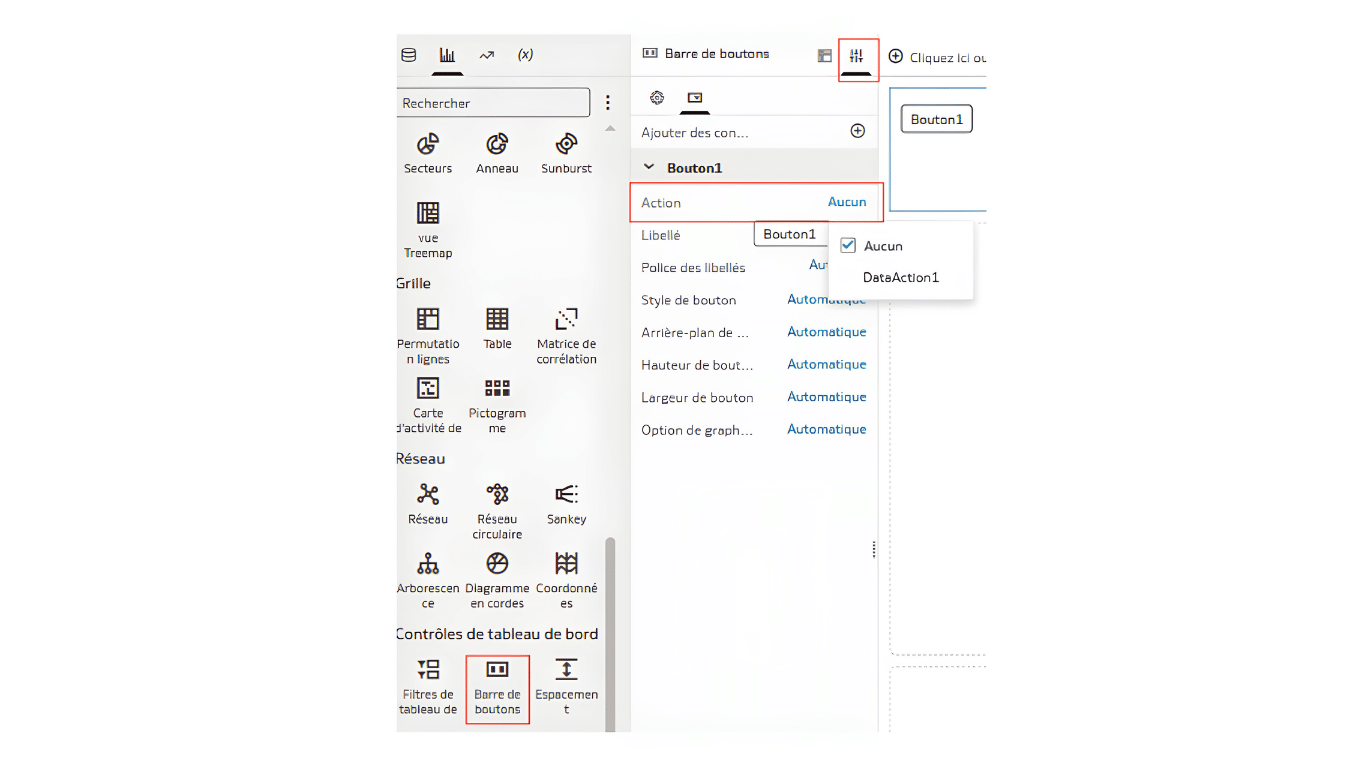
All you need to do is assign a data action that has been previously configured in the workbook.
4. OAC filter groups: complex filters and sharing among users
As the name suggests, filter groups are a feature that allows you to group multiple filters and apply them all at once. You can apply filter groups to a visualization, a canvas, or the entire workbook.
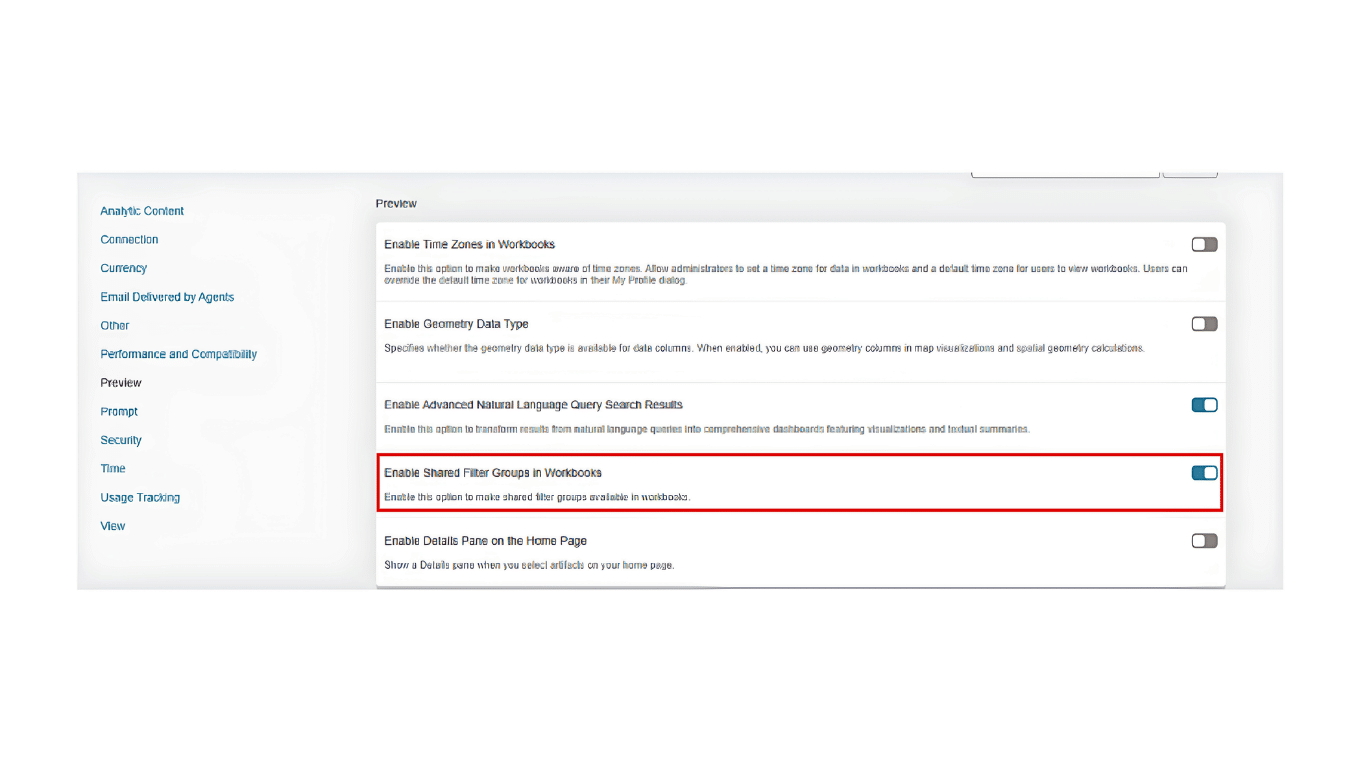
This feature is not yet fully integrated into OAC, so the administrator must enable it on the OAC instance in the console.
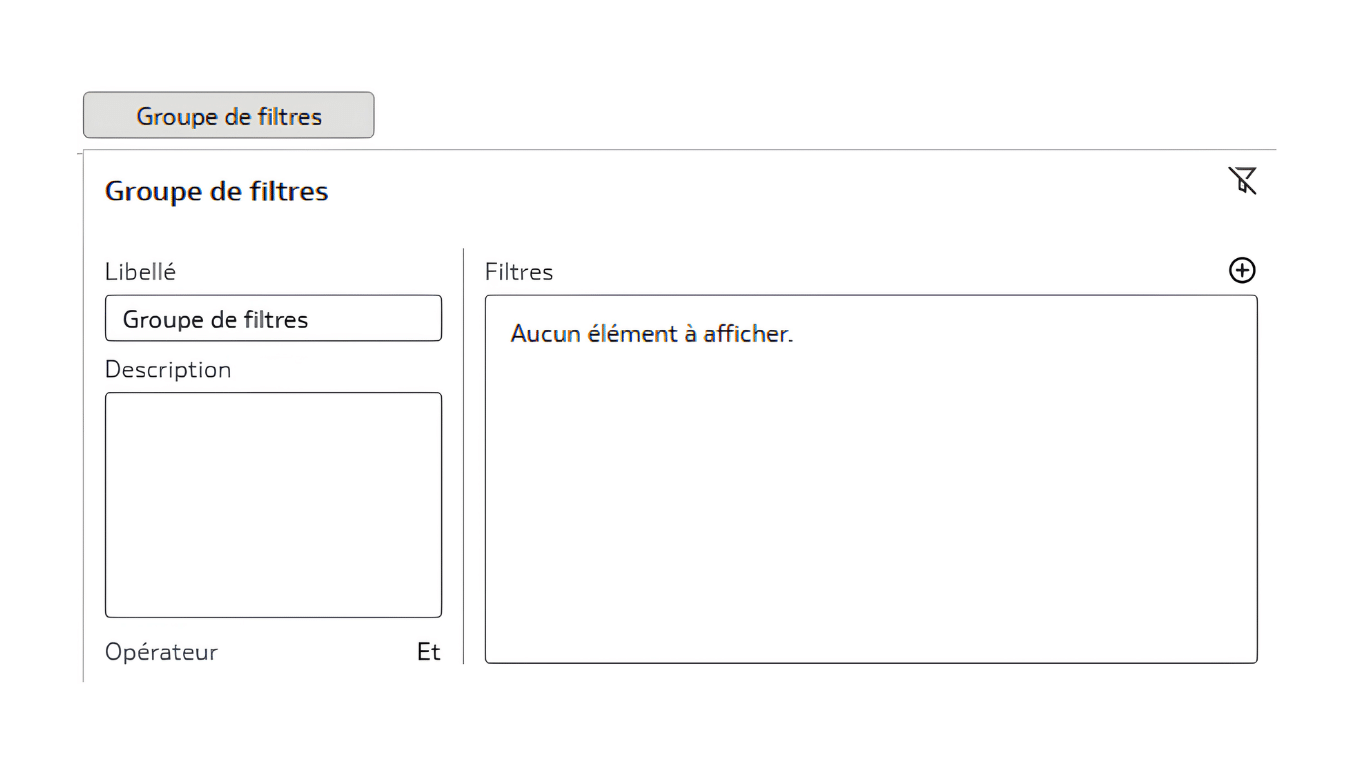
This feature allows you to create complex filters by combining multiple criteria using operators and all types of filters (lists, top, bottom, expression filters, etc.).
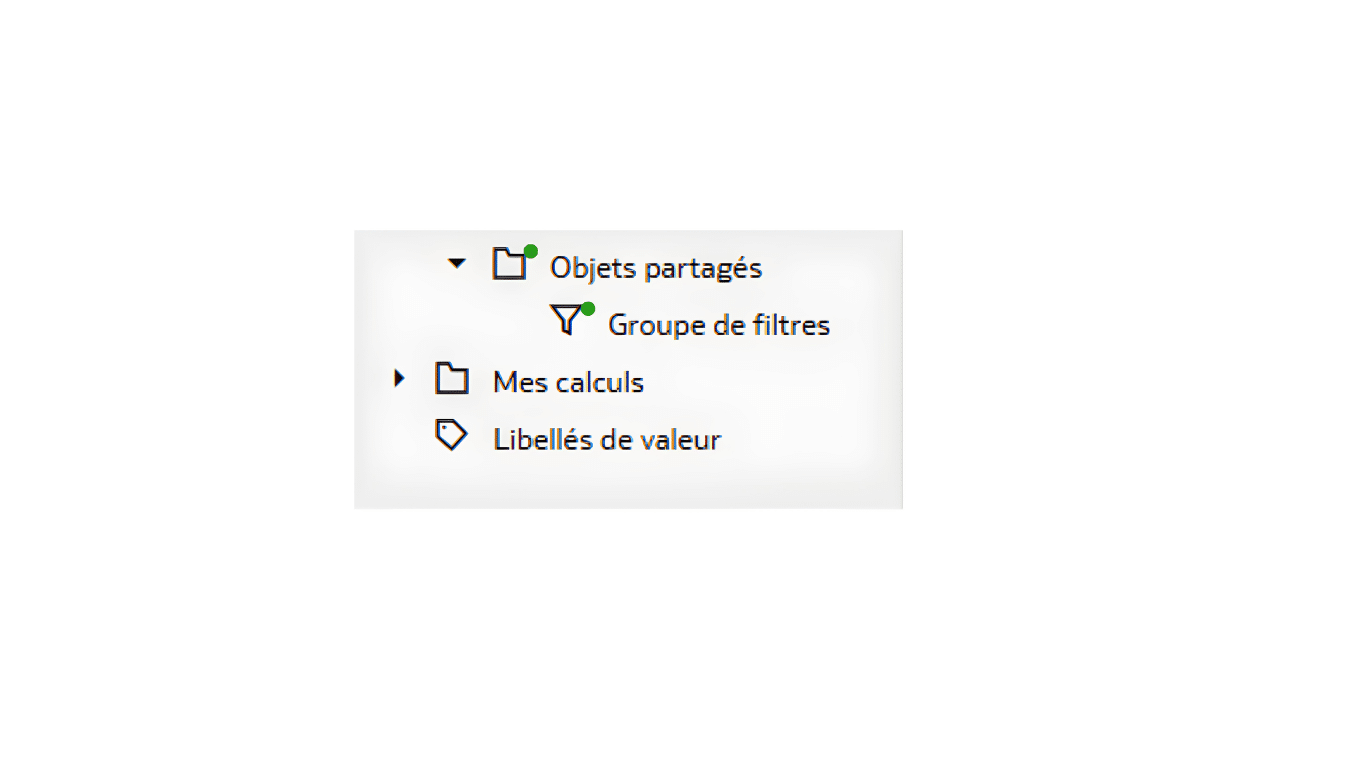
In addition, filter groups can be shared and reused multiple times by different users (who have the “Author” application role). To do this, simply create the filter group in the Shared Objects folder, or move an existing filter group there using drag-and-drop.
5. OAC data streams: up to 5 million rows per source
OAC offers features for preparing, loading, and processing data, as well as training machine learning models, including its built-in data flow designer.
This tool has undergone numerous updates, improving the diagram creation experience,adding new objects,enhancing joins, and—most importantly—increasing its capacity.
It is now possible to load 5 million rows per data source and per data stream. With sequences that allow for the scheduling of multiple data streams, processing capacity has increased tenfold, and OAC continues to build on its momentum to offer a comprehensive and indispensable tool for leveraging data.
6. Access to OAC Dataset Data: The New “Extract” Mode
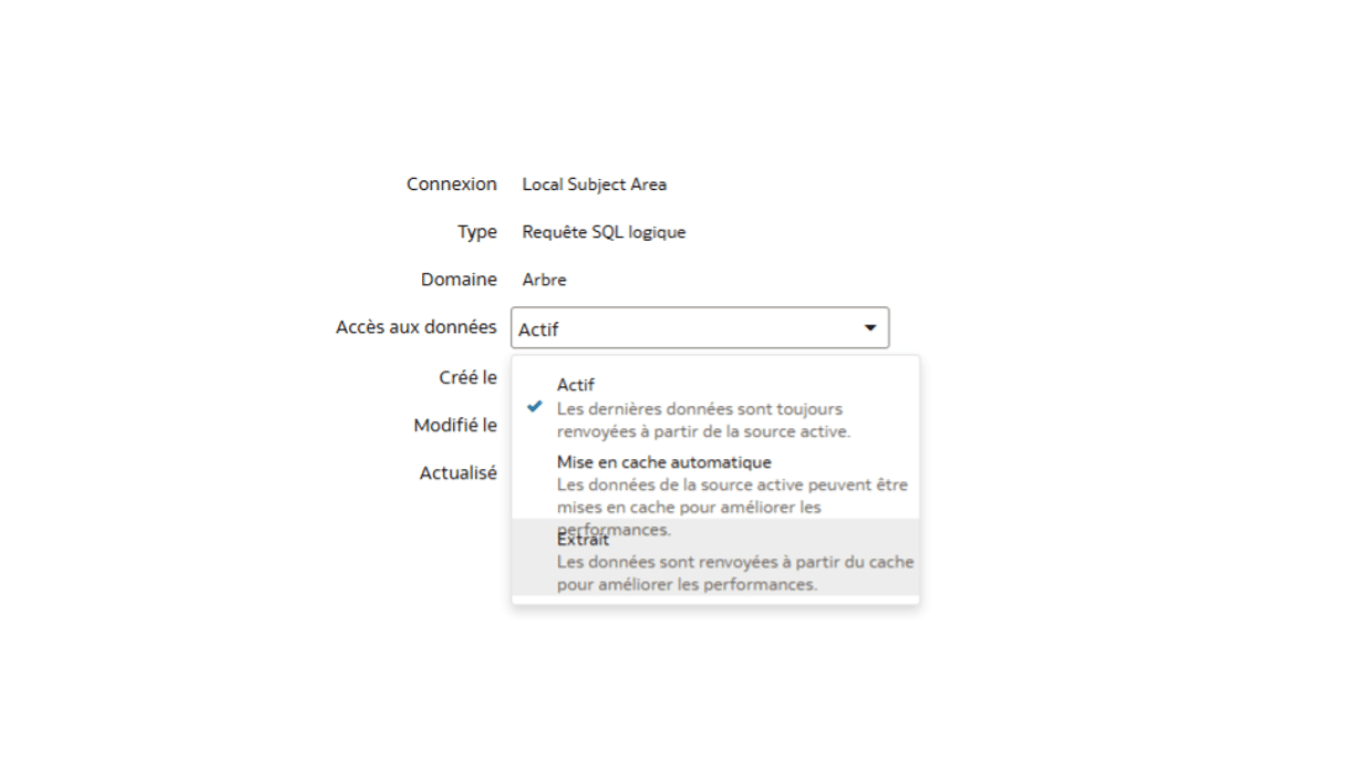
Since the May 2025 update, a new type of data access has been available for datasets in OAC: Extract.
This option forces data access to go through the cache only. This significantly improves the performance of workbooks that use the dataset, as the data is directly available from the OAC cache.
With this additional option, dataset creators can fine-tune the dataset settings to meet their specific needs.
7. Customizing the OAC Home Page: A Tailored User Experience
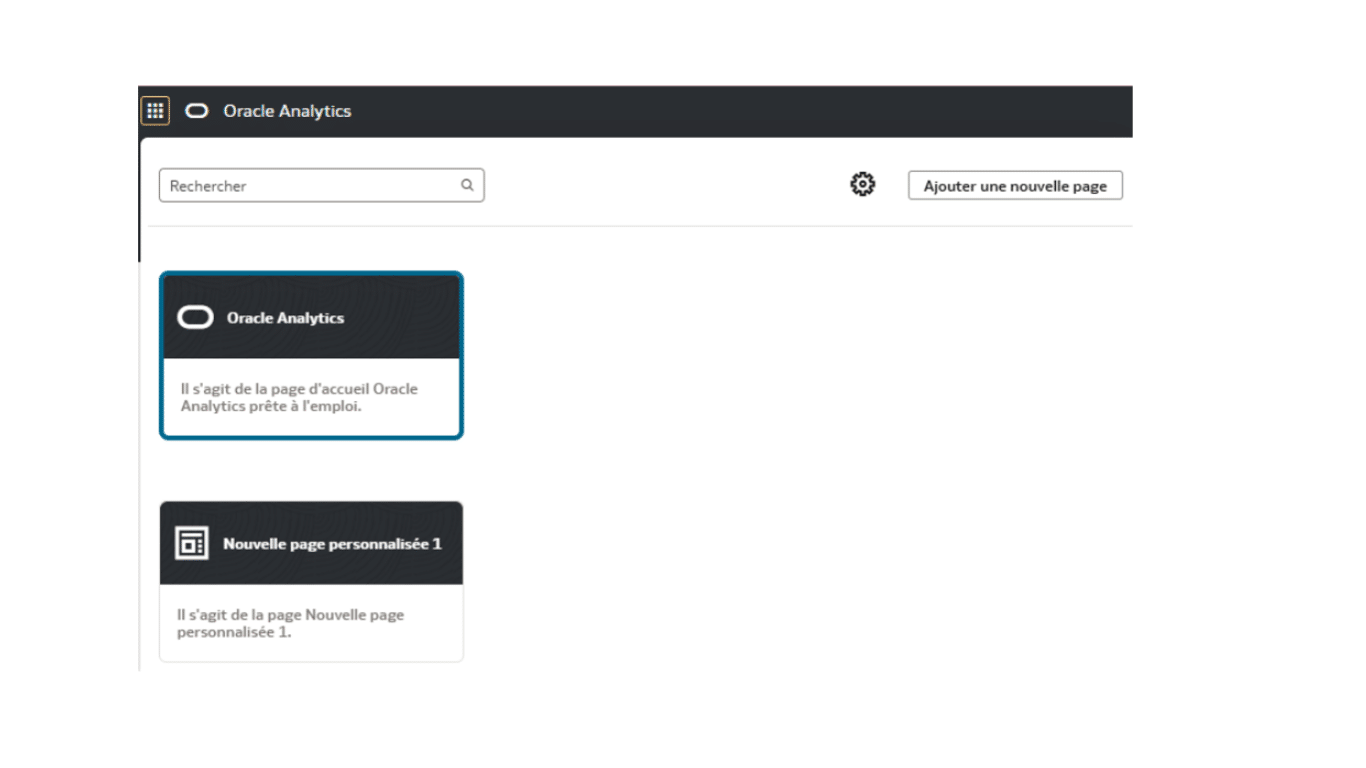
Many users did not like the Oracle Analytics home page that had been available since the launch of OAC. Although it offered the ability to organize workbooks, checklists, and topics—and even query data directly using natural language—some users found it unnecessary and accessed their workbooks through the catalog instead.
You can now create your own page, customize it from start to finish, and share it with the users or groups of your choice. Administrators can even set it as the default home page for users or groups.
This new customization feature provides a more intuitivedata analysis tool that is always tailored to the needs of users and user groups.
8. OAC Workbook Reports: Saving and Reusing Filter Configurations
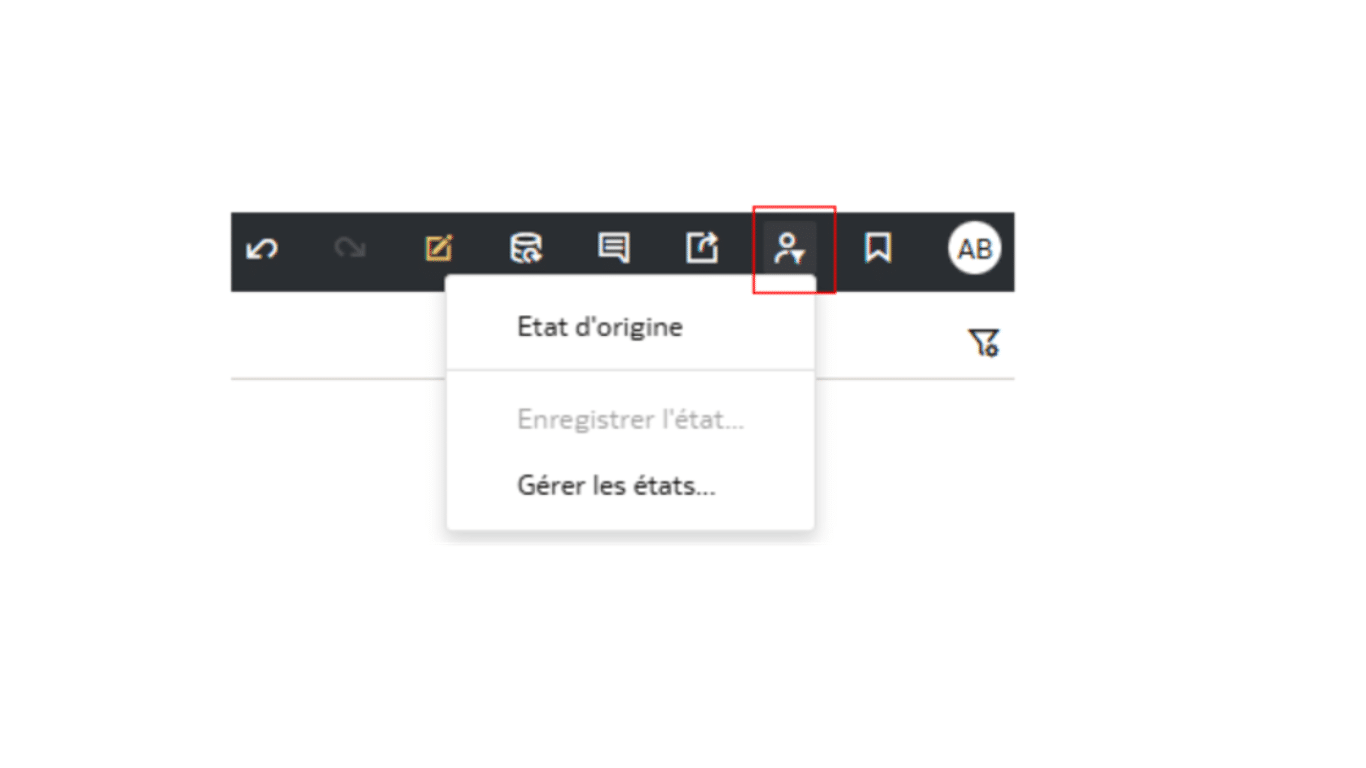
As part of its ongoing efforts to improve the user experience and facilitate analysis, OAC has, since 2025, included a feature that allows each user to save the usage status of workbooks.
This allows users to apply filters while working with a workbook and save one or more reports, enabling them to apply all filter values with a single click and view data filtered according to their needs.
They also have the option to configure workbooks to open to a specific report, or even to set a default report to open when the workbook is opened:
- Original state: the state in which the workbook’s creator saved the workbook
- Last status: the workbook’s status at the time of its last use
- Custom report: A report created by the user with their preferred filter selections.
This means users no longer have to reapply the same filters every time they use the workbooks, making it easier to reuse them.
9. Conditional Formatting: New Rules for Dates and Attributes
As is the case every year, the conditional formatting options in OAC continue to expand, offering a wide range of possibilities for highlighting data and guiding business users toward information that is important for decision-making.
It is now possible to define conditional formatting rules based on dates and attributes, whereas prior to 2025 this was only possible using measurements. This brings us closer to a comprehensive feature that allows us to highlight information without restrictions.
A series of examples illustrating how to use these new options is available on the official OAC documentation website.
Highlights from 2025 on Oracle Analytics Cloud
The year 2025 marked a significant milestone for OAC in terms of power, flexibility, and accessibility, thereby significantly improving the user experience and optimizing decision-making. From data streams capable of processing millions of rows to customizable decision-making dashboards and the implementation of a natural-language AI assistant, all these innovations share a common goal: to enable companies to make the most of their data.
OAC has thus established itself as an must-have solution for organizations seekinganalytical agility and better decision-making.
Our Oracle Analytics Cloud experts work with your teams to help them get started with and optimize these new features, ensuring that every update translates into tangible value for your business.
A project? A request?A question?
FAQ
What's the difference between OAC and OTBI in Oracle ERP Cloud?
Oracle Transactional Business Intelligence (OTBI) is the native reporting tool for ERP Cloud, limited to real-time transactional data. Oracle Analytics Cloud (OAC) goes far beyond that, offering advanced visualization, semantic modeling, artificial intelligence, and connectivity to multiple data sources. OAC is the preferred solution for complex analyses, customized decision-making dashboards, and the analysis of large volumes of data.
How can you use AI in Oracle Analytics Cloud to analyze your data?
Since 2025, OAC’s AI assistant has made it possible to query data using natural language, without requiring any technical expertise. It automatically generates appropriate visualizations, interprets trends, and can be integrated directly into business applications outside of OAC. Simply ask a question in everyday language to get a graph or table in real time.
Is Oracle Analytics Cloud suitable for large enterprises?
Yes. OAC is designed for organizations of all sizes, with processing capabilities of up to 5 million rows per data stream, access rights management, and native integration with Oracle ERP Cloud, EPM, and the leading data warehouses on the market. Its flexibility and scalability make it a leading solution for companies seeking analytical agility.